FOR LAWN CREWS AND OWNER-OPERATORS
Lawn Care Software for Owner-Operators and Small Crews
Team US$49/mo flat for up to 10. Solo US$14.99/mo. Try Team free for 14 days, then Starter is free for one person. No card needed to start.
Handro is lawn care software for recurring mowing, invoices and card payments, and the whole crew runs on one flat price: Team is US$49 a month for up to 10 people, with no per-user pricing. Set a client's weekly or biweekly visits once, work the day from your phone, and get paid by card without a night of paperwork. Starter is free for one person and unlimited jobs.

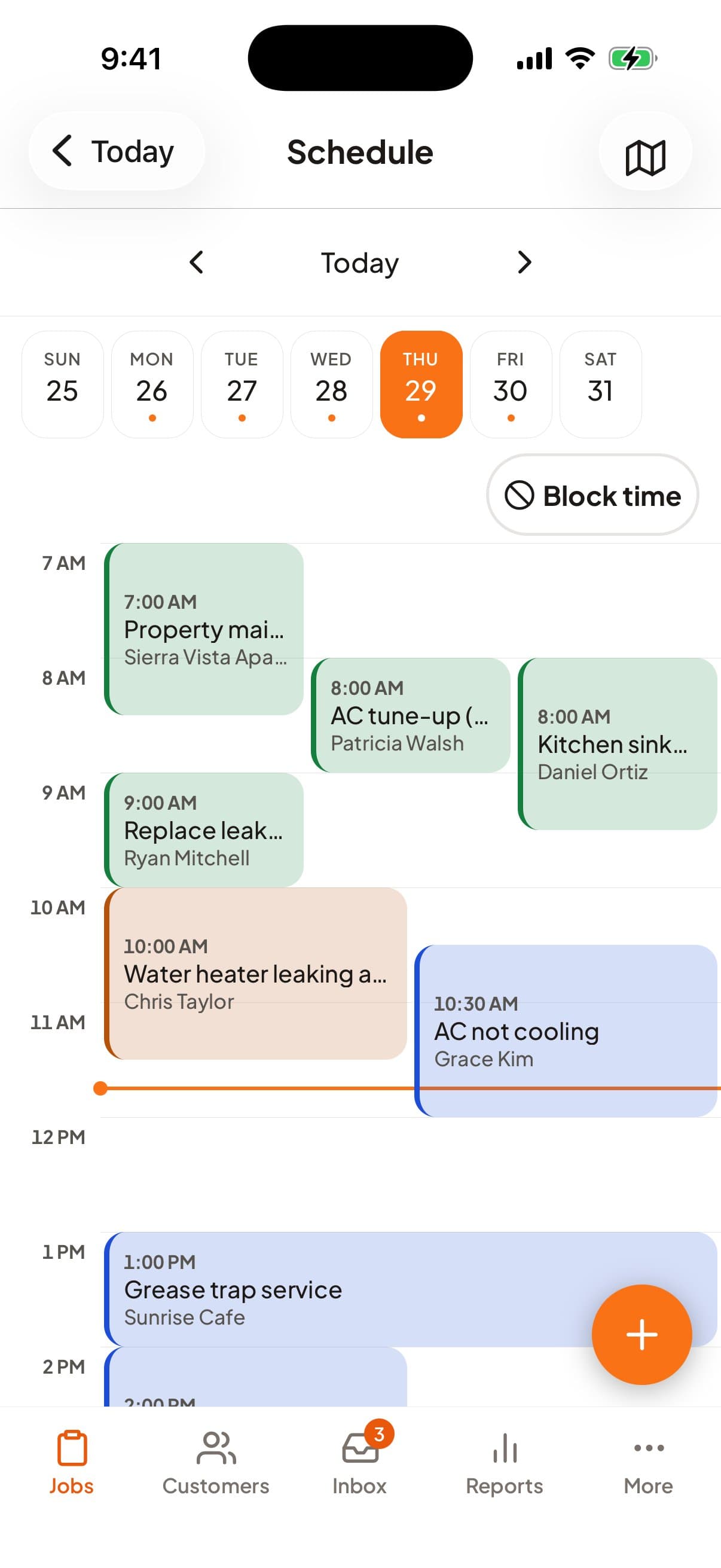
Weekly and biweekly visits that book themselves
A lawn client who's mowed every week shouldn't be typed in every week. Set the cadence once, weekly or every two weeks, and Handro creates each upcoming visit on your schedule. End a series never, after a set number of visits, or on a date, so a seasonal client stops when the season does. With autopay on, each finished mow charges the card your client saved, up to the series price, so you aren't sending a weekly invoice for that client.
What lawn care software needs to handle
A lawn business runs on repeat visits with one-off work on top: a spring cleanup, an aeration, a hedge trim. The tool has to hold both on the same calendar without one burying the other. Handro's Today view shows the day's visits in one list, and on Solo and Team, route optimization suggests a shorter drive order for one person's day, from the shop and back. You choose whether to use it.
Quotes for cleanups, aeration and one-off jobs
For bigger one-time work, send a Good, Better and Best estimate and let the client pick. A basic cleanup, a cleanup with edging and bed work, or the full yard: they compare on their own phone and sign right there. Not sure what to charge? Our guide How Much to Charge for Lawn Mowing has real price ranges and a worked example.
A mowing day, start to finish
Say Tuesday has eleven visits. Open Today, see them in schedule order, and work through the list. If rain pushes one, reschedule just that visit and the rest of the series stays put. When a mow is done, the invoice comes from that same visit, so nothing gets retyped at the kitchen table. With a second crew out, assign each visit to a person or a crew, and Today on their phone shows who's on each one.
Invoice per visit and get paid
Each visit is its own job, so each one can be invoiced with its labor and materials tagged and each line marked taxable or not. Card payments run through your own Stripe or Square account, with zero Handro markup. You still pay their standard rate, billed by them. Cash, check and Venmo can be recorded by hand, and, on Solo and Team, invoices and payments sync to QuickBooks Online.
What lawn care software costs
Team is US$49 a month flat for up to 10 people, with every feature on every paid plan. Jobber Connect is US$199 a month for 5 people and Housecall Pro Essentials is US$189, billed monthly (their list prices, checked November 12, 2026). Solo is US$14.99 a month for one person. Try Team free for 14 days, then Starter stays free: one person, unlimited jobs. No card needed to start.
What to check before you switch off paper or a spreadsheet
Bring your repeat clients in first, either from a CSV file or, on Solo and Team, straight from QuickBooks Online. Past invoices stay in your old tool, since Handro doesn't import those automatically. Invoices are per visit, so if you bill a client once a month on a single invoice, check that this fits how you work. You can export your data at any time, so trying it never means losing your records.
IN THE APP
The real screens, not a mock-up.
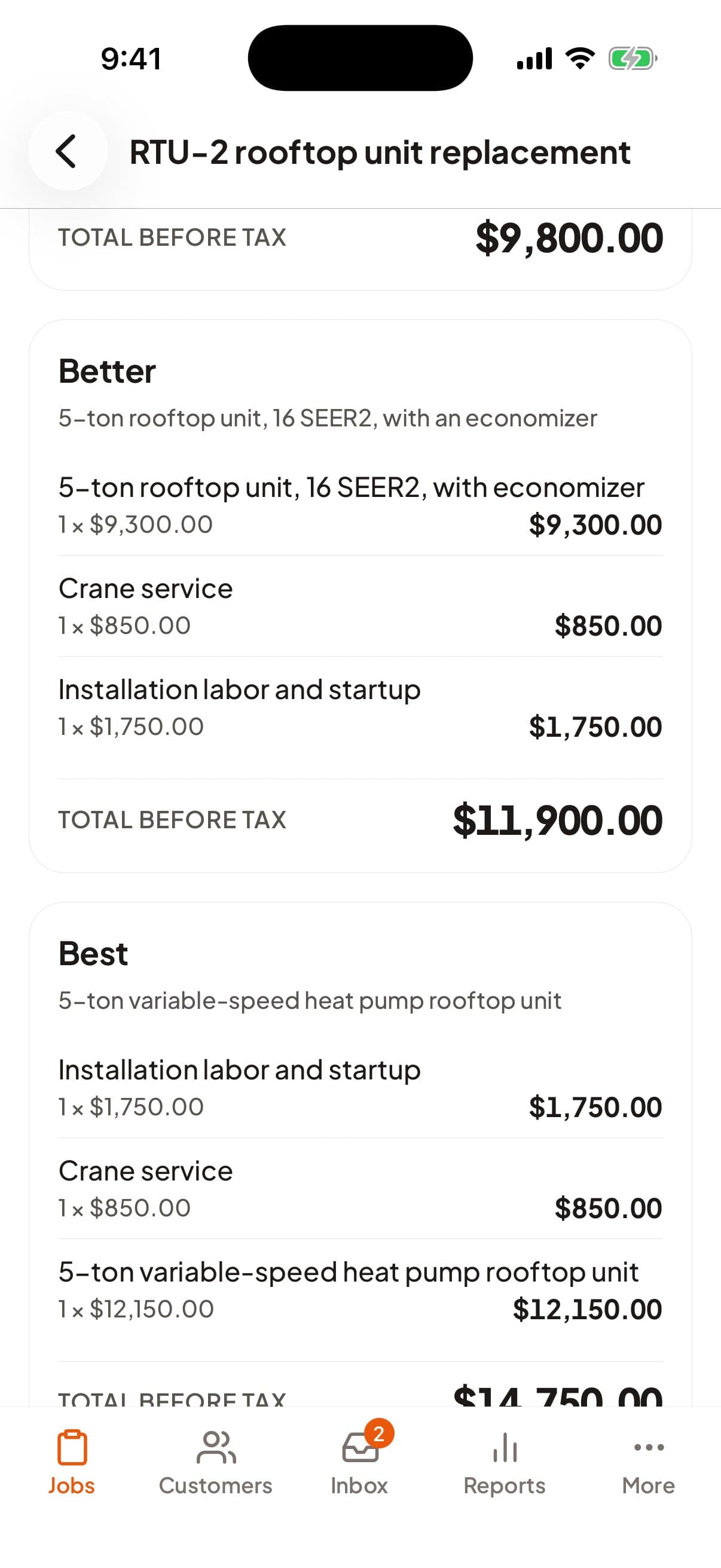
Good, Better and Best estimates the customer signs on their phone.
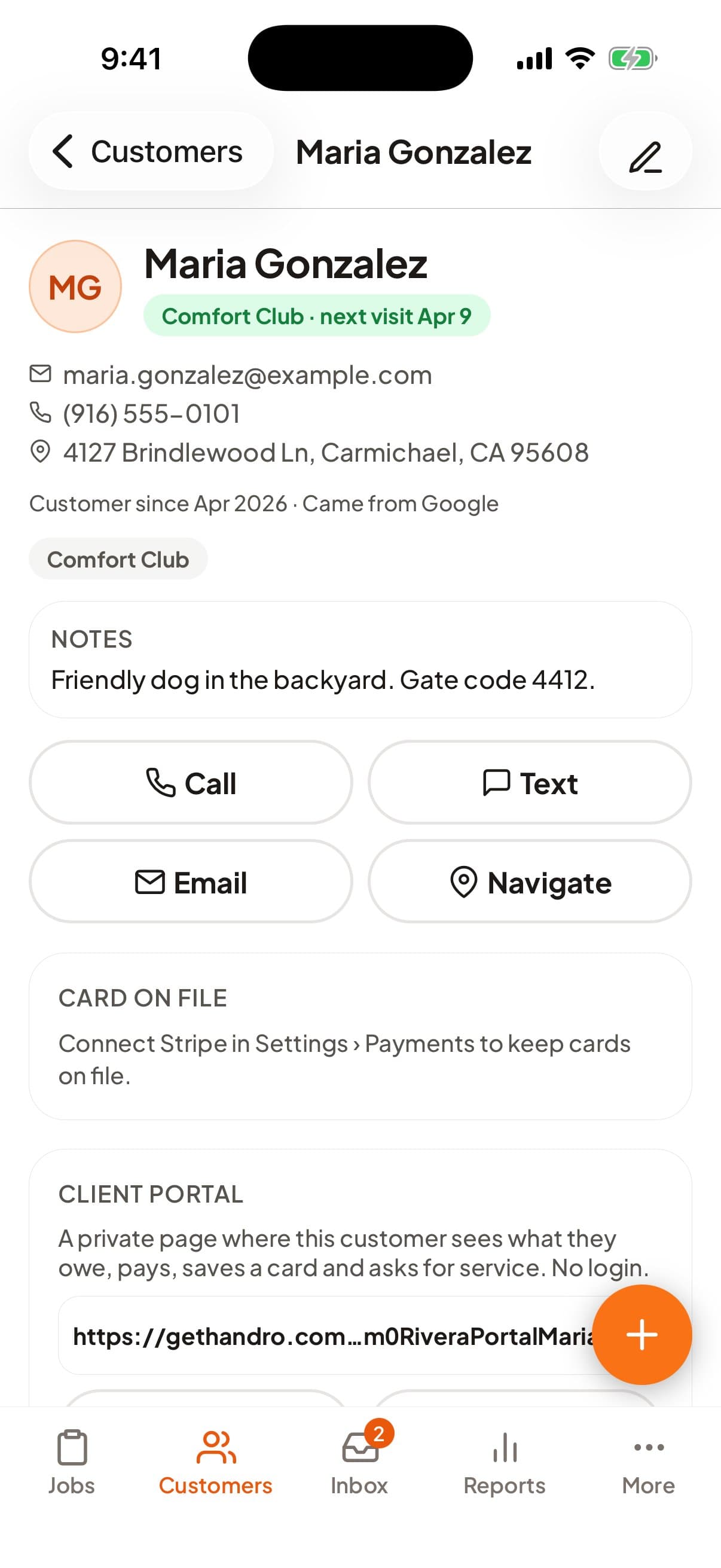
Every customer's jobs, balance and history together.
THE FULL DEMO · 10 MINUTES
Watch a demo
Follow one shop through a day in the app: a quote approved and signed, the job scheduled and done, and the invoice paid.
No card needed to start.
QUESTIONS
Straight answers.
Can lawn care software handle weekly and biweekly mowing?
Yes. Set the cadence once and Handro creates each upcoming visit automatically. Visits you've already worked, messaged or invoiced are left untouched if you edit the series later.
Does Handro optimize my route?
Yes, on Solo and Team. Route optimization suggests a shorter drive order for one person's day, from the shop and back, on the web or in the app, and you choose whether to use it. On the web, the day view then numbers each visit "Stop 1", "Stop 2" and so on.
Can I invoice lawn care clients monthly?
Handro invoices each visit as its own job. If you need one combined invoice per month, check that before you switch. On Solo and Team, invoices and payments sync to QuickBooks Online if you keep your books there.
Is there free scheduling and invoicing software for a one-person lawn care business?
Yes. Handro Starter is free for one person and unlimited jobs, with no card to start. You can build Good, Better and Best estimates the customer approves and signs on their phone, turn the approved estimate into the job and the invoice, add job photos, and take card payments through your own Stripe or Square with zero Handro markup. Texting, customer email, accounting sync, route optimization and the AI tools start on Solo.
What does lawn care software cost?
Team is US$49 a month flat for up to 10 people, with every feature on every paid plan. Solo is US$14.99 a month for one person. Starter is free for one person and unlimited jobs, and you can upgrade any time.
Can my whole lawn crew use it?
Yes. Team covers up to 10 people for one flat price, with no per-seat add-ons. Assign each job to the person doing it, everyone sees the day's jobs and who's on each on their phone, the owner sees every job, estimate, invoice and payment in one place, and hours are logged from job clock-in and clock-out.
Does Handro charge extra to take card payments?
No. Card payments run through your own Stripe or Square account at their standard rate, billed by them. Handro adds zero markup.